Welcome to your portrait viewing page.
I had so much fun taking photos of your wonderful children! I am excited to share them with you, and I hope you love them.
To view your child’s photos, click on the View Gallery button at the bottom of this page. Once you are on the site, you can enter the folder with your student’s grade, and then find the password-protected folder with your child’s name. Your child’s FIRST name is your password for the folder (And if you have sibling shots its the FIRST name you see on the album itself). If you have any trouble getting in, please let me know.
ORDERING INSTRUCTIONS:
You can order prints or digital files straight from the online gallery. Just click on any photo to view it and access an option to buy it by clicking the “Buy Photo” button in the top right corner. You will be then be given options for Digital Media, Prints, Canvases, or Retouching as tabs on the item selection screen. You can click on these options and add whatever you would like to your cart. You can order ALL the digital files in the album via ANY photo in the gallery. See screenshots below to see where you can find all the options.
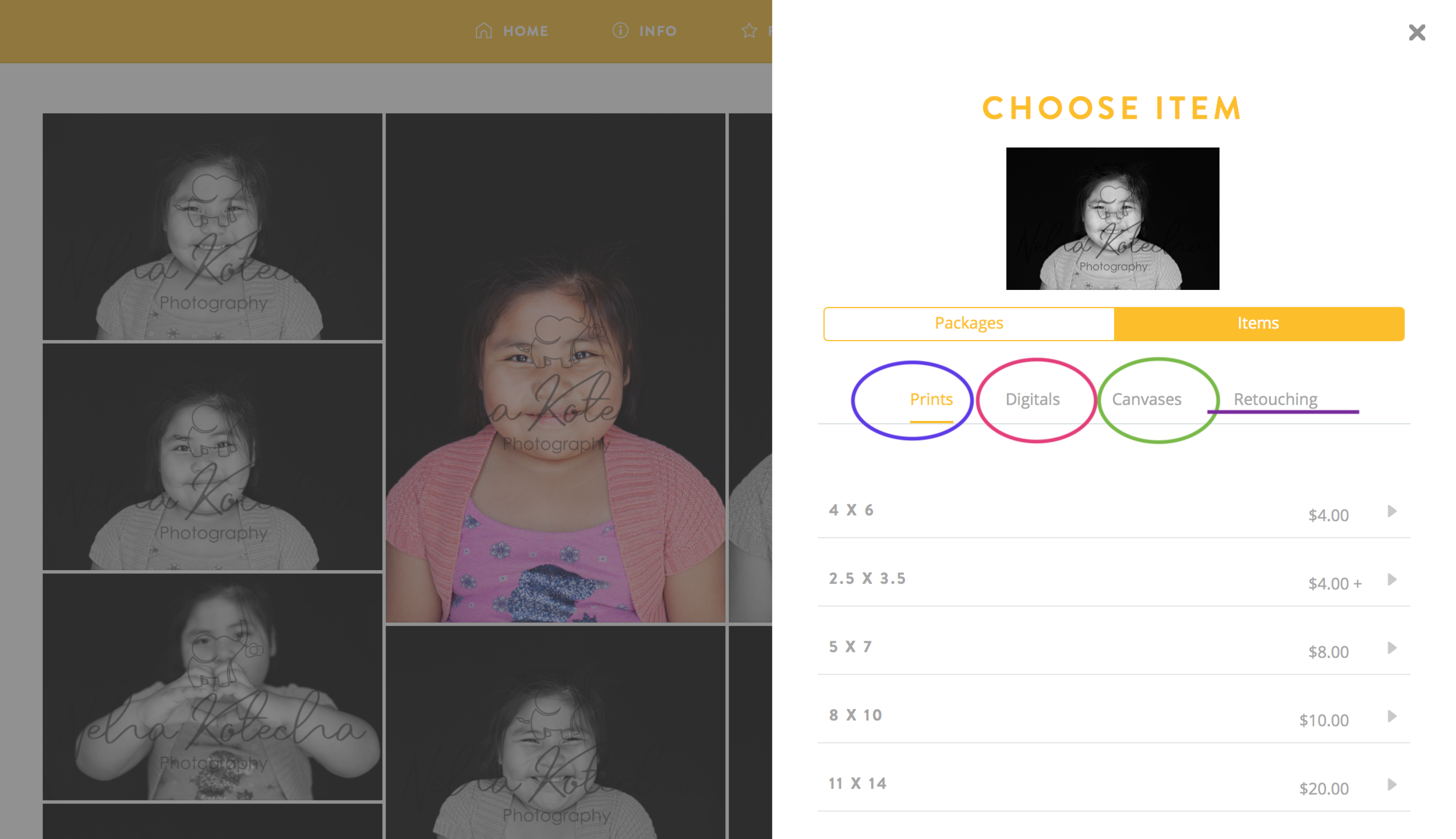
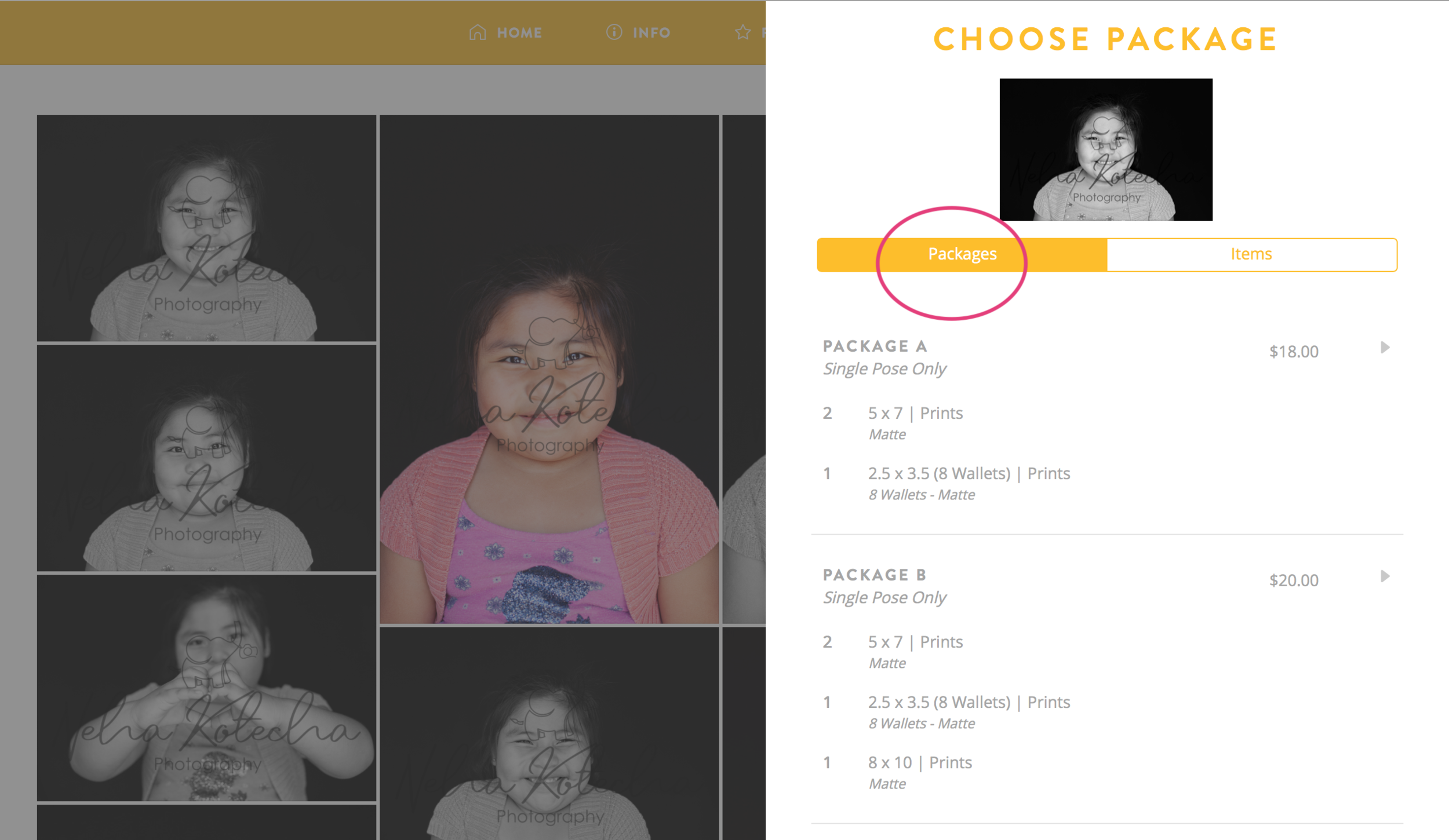
Each child is in their own folder, and photos of siblings together will be in another folder inside the Siblings parent folder.
Some photos are in portrait/vertical orientation and some are in landscape/horizontal orientation. In the gallery, what you see is what you get if you print the photo. If you order a close-up, horizontal shot with the top of the head cropped, that is exactly how it will look when printed. Please make sure you order the orientation you would like. I tried to provide as many options, crops, and orientations as I could to give you the options you prefer. There WILL be some cropping depending on the size of print you choose. A 5X7 crops differently then an 8X10, so expect some slight variations in appearance when you receive your prints. Packages are created using only one photo. You may not combine photos in a package, but you can order as many individual prints you’d like to create your own collection for only a few dollars more. If you order digital files, you have the rights to share them online or print them as many times as you’d like. (However, I only guarantee print quality if you order through this site.) To order all the digital files of your child, you can get to that option through any photo in the gallery via the “Digital Media” tab.
ALL ORDERS ARE DUE BY JUNE 30th AT MIDNIGHT.
No print orders will be available after the date listed above, to help me keep costs as low as possible. No print or digital orders will be available after June 30th for this gallery. If you miss the deadline for digital photos, I can upload your photos again, but I will charge a re-stocking fee of $20. Digital files can be printed and shared as much as you like, and I recommend using Pro Digital Photos in Pleasant Grove or mpix.com online.
Prints will be delivered to the school by July 15th. They will come home in backpacks.
Below, you will find a short video that walks you through the ordering process and will answer most questions you might have. If you have any other questions after viewing the video, you can email me via the “Contact Me” link above.
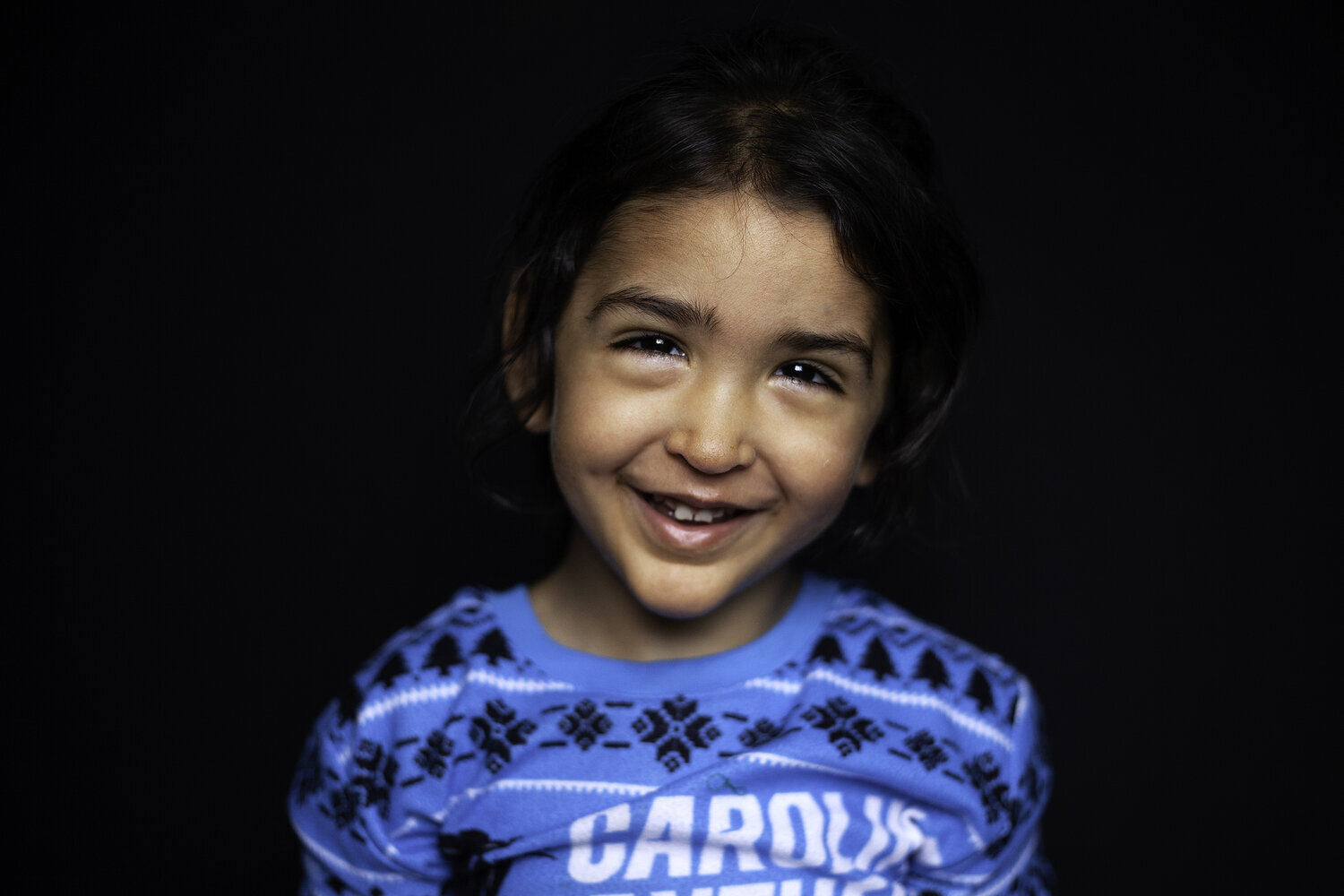
Before you click on the link to view your photos, if you could take one second and let me know if you would be willing to allow your child’s photos to be used on flyers, emails, blog posts, etc., I would greatly appreciate it! Just fill out the form below. I never use names or locations when I post photos. (You only need to do this optional step once. If you come back through here again, just skip straight to the View Gallery button.)
Thanks everyone.
Please reach out to me via the “Contact” link in the header if you have any questions.
